


Navigation update InControl Touch Plus
Official Update Solution for InControl Touch Plus
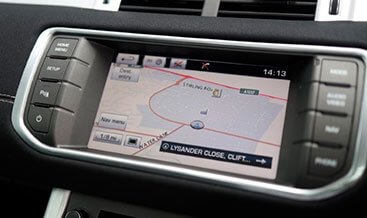
The Navigation update InControl Touch Plus provides the official method for refreshing the vehicle’s map database. This Navigation update InControl Touch Plus requires ordering either a USB stick or DVD specifically for the vehicle. Consequently, this ensures the navigation system holds the latest road layouts and points of interest. The update process does not use the SD card method found on older InControl Touch systems. Users must follow the instructions provided with their chosen media. The system then installs the new map data directly from the USB or DVD.
How to Perform the Update
Drivers first check availability and pricing for their specific vehicle. They then order the correct USB stick or DVD through the official Jaguar channel. The update media arrives pre-loaded with the latest map data. Users insert the USB or DVD into the vehicle’s appropriate port. The system then guides them through the installation process automatically. The update replaces older maps with the new version. Users must not interrupt the installation once it begins. The vehicle’s navigation system then operates with the refreshed data.
What the Update Provides
The Navigation update InControl Touch Plus delivers several important benefits. It reflects new roads, highways, and traffic layouts. The update adds thousands of new points of interest like restaurants and petrol stations. It incorporates changes such as roundabouts, closures, and exit lanes. The update also improves navigation logic for dynamic rerouting. Without regular updates, drivers may take incorrect routes or miss new destinations. The update ensures the system provides the best routes to the final destination.
Warranty Coverage and Availability
Many vehicles receive Navigation update InControl Touch Plus coverage under Map Care. This provides free map updates for the duration of the standard three-year manufacturer’s warranty. The warranty period may vary by market. After the initial period, owners can purchase renewals to maintain navigation features. The availability and pricing of map updates appear on the official Jaguar website. Users should consult their local retailer for full terms and eligibility. The Navigation update InControl Touch Plus keeps the vehicle’s navigation system current and reliable.
Important Considerations
This uses a USB or DVD, not the SD card method. Users must not store personal data on any navigation media. The update process requires completing fully to maintain data consistency. Some vehicles may have region-locked updates. Owners with pre-facelift models may face limitations on available map versions. For any issues, contacting a Jaguar retailer provides the best support. This represents the official path to accurate, up-to-date navigation.
| Car Model | Evoque 2016-2019 |
|---|
Related products
OEM Activation

OEM Activation
OEM Activation
OEM Activation
OEM Activation
OEM Activation
OEM Activation
OEM Activation