

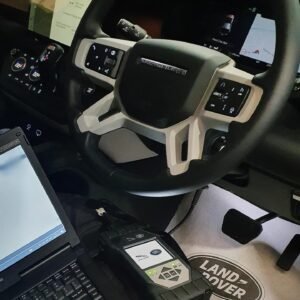
JLR Diagnostic provides professional technicians with complete vehicle system access. A workshop relies on JLR Diagnostic to perform in‑depth fault analysis and module reprogramming.This software suite communicates seamlessly via DoIP and CAN‑FD protocols. Consequently, it reads and clears trouble codes across all electronic control units. Moreover, it enables live data streaming, actuator tests, and configuration changes. The system supports both online cloud functions and offline engineering modes. Therefore, it suits independent garages and specialist locksmiths alike. To begin, the technician connects a compatible VCI to the vehicle’s OBD port. After that, they launch the application and select the system to diagnose. Then they run a full network scan to identify all installed modules.
Subsequently, they access fault memory, view freeze‑frame data, and clear codes.
⚙️ Function
The software reads Diagnostic Trouble Codes from every module. It provides detailed descriptions and possible causes for each code. Furthermore, it displays live sensor data in configurable graphs and tables. Therefore, technicians can monitor system behavior in real time. It also captures freeze‑frame data to help reproduce intermittent faults.
⚙️ Module Programming and Configuration
Users can perform ECU reflashing and firmware updates via the cloud or offline files.They can also edit Car Configuration File parameters for feature activation.Moreover, the tool supports key programming and immobiliser synchronisation. Consequently, workshops can handle retrofits, upgrades, and customisation work.The system validates each write operation to prevent module corruption.
✨ Key Features
Full module identification and network topology scanning.
Read and clear DTCs with detailed descriptions.
Live data streaming with graphical and tabular views.
ECU flashing and firmware updates via cloud or offline files.
CCF/CCS editing for feature activation and customisation.
Key programming and immobiliser synchronisation.
Actuator tests and component calibration.
Session logging and report generation for documentation.
?️ System Requirements
The software runs on Windows 10 or 11 (64‑bit) with .NET 8.0 runtime.
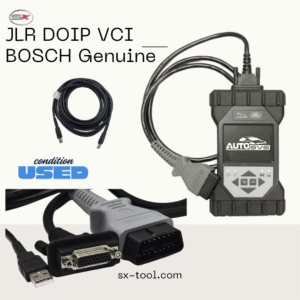
It requires a compatible DOIP VCI (JLR VCI, Mongoose, or equivalent).
An internet connection is optional for cloud features but recommended.
Moreover, users need administrative rights for installation and updates.
The tool supports all major diagnostic interfaces currently on the market.
JLR Diagnostic