
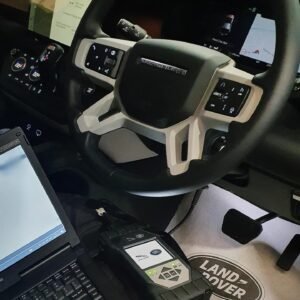
The JLR DOIP VCI WF Bosch Genuine
$1,999.00
The JLR DOIP VCI WF Bosch Genuine
? Product Description
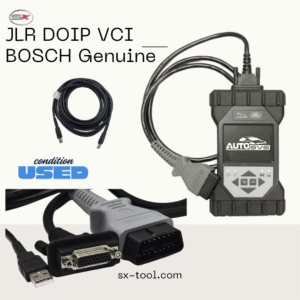
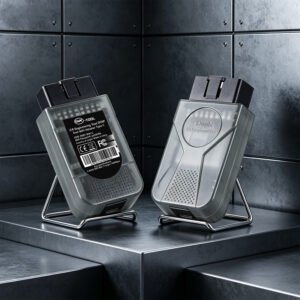
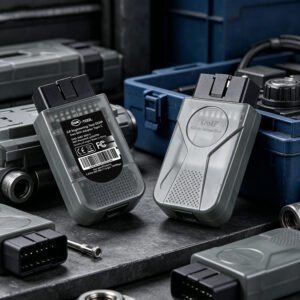
The JLR DOIP VCI WF Bosch Genuine provides technicians with a reliable, OEM‑grade diagnostic bridge. A workshop uses the JLR DOIP VCI WF Bosch Genuine to connect diagnostic software to the vehicle’s DoIP network. This interface supports both wired Ethernet and wireless WiFi communication modes. Consequently, it offers maximum flexibility in various workshop environments. The Bosch‑manufactured unit guarantees high build quality and stable performance. Therefore, it ensures accurate data transfer during critical diagnostic sessions. The device works seamlessly with all major JLR diagnostic platforms.
To begin, the technician connects the VCI to the vehicle’s OBD port. After that, they select either wired or wireless mode via the interface. Then they pair the device with their laptop or workshop network. Subsequently, they launch their diagnostic software and start communicating. As a result, the technician enjoys fast, interference‑free data exchange. The VCI also supports daisy‑chaining for multiple module access.
? Wired and Wireless Connectivity
The VCI supports standard Ethernet for direct wired connections. It also offers WiFi connectivity for untethered diagnostic sessions. Furthermore, it automatically switches between modes based on availability.
Therefore, technicians can work from anywhere within the workshop. The device maintains stable communication even in busy network environments.
⚡ DoIP and CAN‑FD Protocol Support
The interface fully supports Diagnostic over Internet Protocol . It also handles CAN‑FD communication for modern vehicle networks. Moreover, it adapts to legacy CAN protocols when needed.
Consequently, it covers a wide range of JLR vehicle architectures. The VCI also supports high‑speed data transfer for module programming.
?️ OEM Quality and Reliability
Bosch manufactures this VCI to meet JLR’s stringent quality standards. It undergoes rigorous testing for electrical and thermal stability.Furthermore, it includes over‑voltage and short‑circuit protection.
As a result, it withstands demanding workshop conditions reliably. The device also receives firmware updates to ensure ongoing compatibility.
✨ Key Features
Genuine Bosch‑manufactured DoIP VCI for JLR vehicles. Supports both wired Ethernet and wireless WiFi connectivity. Full DoIP and CAN‑FD protocol support. High‑speed data transfer for ECU programming and flashing. Built‑in LED status indicators for easy diagnostics. Daisy‑chain capable for multiple module access. Firmware upgradeable for future compatibility. OEM quality with over‑voltage and short‑circuit protection.
?️ System Requirements
The VCI works with Windows 10/11 laptops and compatible software suites. It requires a standard Ethernet port or WiFi adapter on the host computer. Furthermore, the device connects to the vehicle via the OBD‑II diagnostic port. It supports all JLR diagnostic platforms currently in use. Users should install the latest drivers and firmware for optimal performance.
Related products
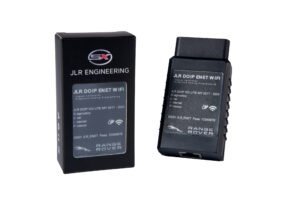
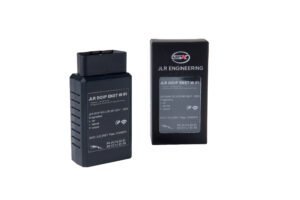
JLR Enet
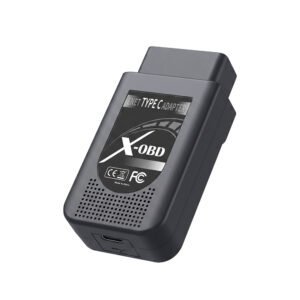
JLR Enet