

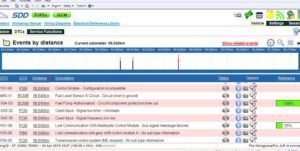

Remote Software Install SDD Pathfinder Work with JLR-DOIP-VCI-WF
? Product Description
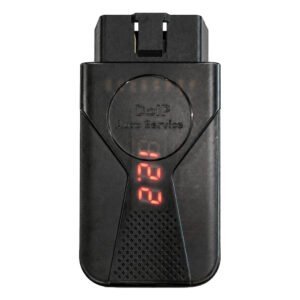
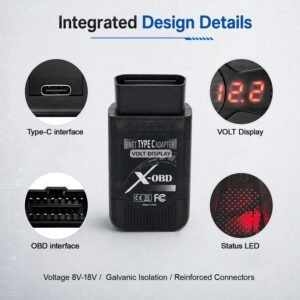
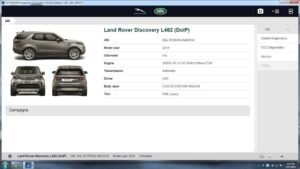
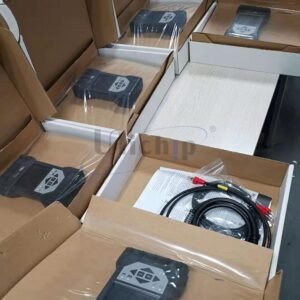
The Remote Software Install SDD Pathfinder Work with JLR-DOIP-VCI-WF service provides a fully configured, workshop‑ready diagnostic environment. A technician receives Remote Software Install SDD Pathfinder Work with JLR-DOIP-VCI-WF</strong> to run JLR’s official Pathfinder and SDD software immediately. This service installs the complete software stack, including all necessary drivers and configurations. Consequently, workshops avoid lengthy setup procedures and compatibility issues. The installation optimises the system for use with the JLR‑DOIP‑VCI‑WF wireless interface. Therefore, technicians start diagnosing vehicles within minutes of setup. The service also includes remote support for troubleshooting.
First, the technician prepares a Windows 10/11 laptop with internet access. After that, they grant remote access to the installation team. Then the team installs Pathfinder, SDD, and all required components.
Subsequently, they configure the software to communicate with the VCI. As a result, the workshop receives a fully functional diagnostic station. The process typically completes within 1–2 hours.
? Complete Software Installation
The service installs JLR Pathfinder and SDD with all official components. It also installs the latest vehicle databases and calibration files. Furthermore, it configures the software for optimal performance. Therefore, users access all diagnostics and programming functions. The installation includes both online and offline capabilities.
? VCI Driver and Network Configuration
The team installs drivers for the JLR‑DOIP‑VCI‑WF wireless interface. They also configure the network settings for stable communication. Moreover, they set up both wired and WiFi connectivity options.
Consequently, technicians use the VCI without additional configuration. The setup also includes firewall and security adjustments.
?️ Remote Support and Verification
The installation team provides real‑time remote assistance throughout. They verify that all software components work correctly. Furthermore, they confirm that the VCI communicates with the vehicle.
As a result, workshops receive a fully validated system. The service also includes post‑installation guidance and troubleshooting.
✨ Key Features
- Complete installation of JLR Pathfinder and SDD software.
- Optimised configuration for JLR‑DOIP‑VCI‑WF wireless interface.
- Latest vehicle databases and calibration files included.
- Remote installation with real‑time support and verification.
- Fully functional diagnostic and programming environment.
- Post‑installation testing and guidance provided.
?️ System Requirements
The service requires a Windows 10 or 11 (64‑bit) laptop. It needs a stable internet connection for the remote installation. Furthermore, it works with the JLR‑DOIP‑VCI‑WF wireless diagnostic interface.
Users must have administrative rights on the target computer. The setup also requires approximately 60GB of free disk space.
Related products


JLR Engineering

JLR Software
JLR Engineering
SX-Tool JLR Coding Programming JET Master JLR Engineering Tool
Demo Software
JLR Engineering