

JLR CCF Tools 4.6 JLR CCF Editor for Pathfinder SDD

$69.00
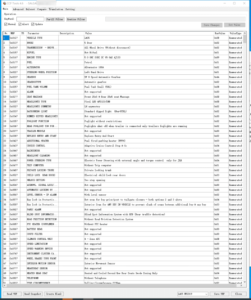
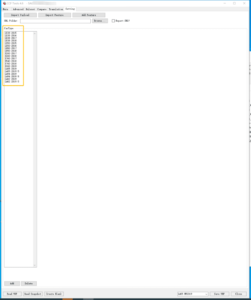
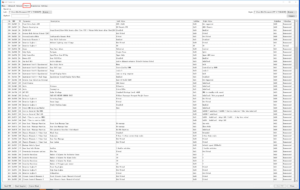
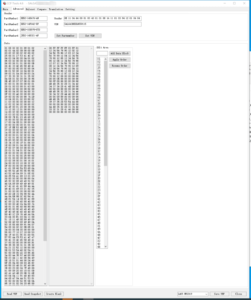
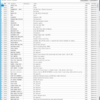
JLR CCF Tools v4.6 功能包括:读取VBF 文件、按关键字搜索、读取文件头、比较 VBF 文件、翻译、EFG 通用代码,支持 2015 至 2019.5 款车型,包括 L538、L550、X260、X760、X540、L405、L494 和 L462。
JLR CCF Tools 4.6 JLR CCF Editor for Pathfinder SDD
? Product Description
JLR CCF Tools 4.6 JLR CCF Editor for Pathfinder SDD empowers technicians with precise vehicle configuration control. A specialist relies on JLR CCF Tools 4.6 JLR CCF Editor for Pathfinder SDD to read, modify, and write Car Configuration Files (CCF) seamlessly. This tool integrates directly with both Pathfinder and SDD software platforms. Consequently, it bridges the gap between user‑friendly editing and factory‑level diagnostics. The editor displays every parameter with its current value and valid options. Therefore, users avoid guesswork and minimise programming errors. Moreover, it supports batch editing for efficient workflow.
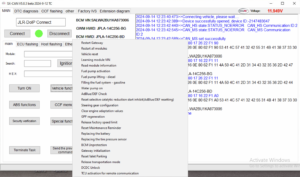
First, the technician connects the vehicle to the diagnostic interface. After that, they launch the tool and load the existing CCF file. Then they search for the desired parameter and adjust its value. Subsequently, they validate the changes with the built‑in safety checker. As a result, they write the new configuration to the vehicle without risk.
? Full CCF/CCS Parameter Editing
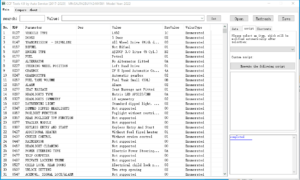
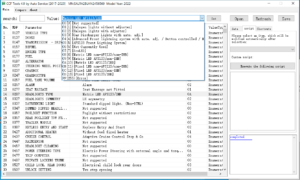
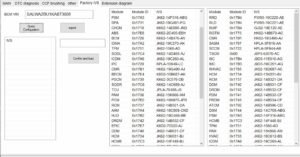
The editor displays every parameter with its description and allowed values. It allows individual or batch edits to save time. Furthermore, it includes powerful search and filter functions. Therefore, technicians locate the right setting quickly. The tool also highlights conflicting parameters to avoid errors.
? Integration with Pathfinder and SDD
The tool works directly with Pathfinder and SDD software environments. It reads and writes CCF files without compatibility issues. Moreover, it supports the official JLR data formats and structures. Consequently, workshops use it alongside their existing diagnostic tools. The integration simplifies the entire coding workflow.
?️ Safety and Validation Tools
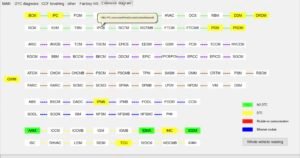
The built‑in safety checker validates each change before writing. It prevents invalid combinations and protects vehicle modules. Furthermore, it offers side‑by‑side comparison of CCF files. Consequently, technicians track modifications and revert easily. The tool also exports reports for documentation and quality assurance.
✨ Key Features
- Full read/write access to CCF and CCS parameters.
- Direct integration with Pathfinder and SDD platforms.
- Batch editing and parameter search for efficiency.
- Built‑in safety checker to prevent invalid writes.
- Side‑by‑side file comparison and change tracking.
- Exportable logs and reports for documentation.
- Comprehensive parameter database with descriptions.
?️ System Requirements
The tool runs on Windows 10/11 64‑bit with .NET 6.0 runtime.
It requires a compatible diagnostic interface (JLR VCI, Mongoose, or equivalent).
Furthermore, it works with Pathfinder and SDD software versions.
Users must have administrative privileges for installation.
The tool also supports both USB and WiFi diagnostic adapters.
Related products
JLR Engineering
JLR Software
JLR Software
JLR Software

Virginised EEPROM

JLR Enet
Demo Software
JLR Engineering
SX-Tool JLR Coding Programming JET Master JLR Engineering Tool